
0+Drivers using mobile tasking
Yard drivers adopted the mobile experience for daily task execution.

A task management system that helps dispatchers assign, track, and complete yard movements from both the web platform and driver mobile app.
 View on App Store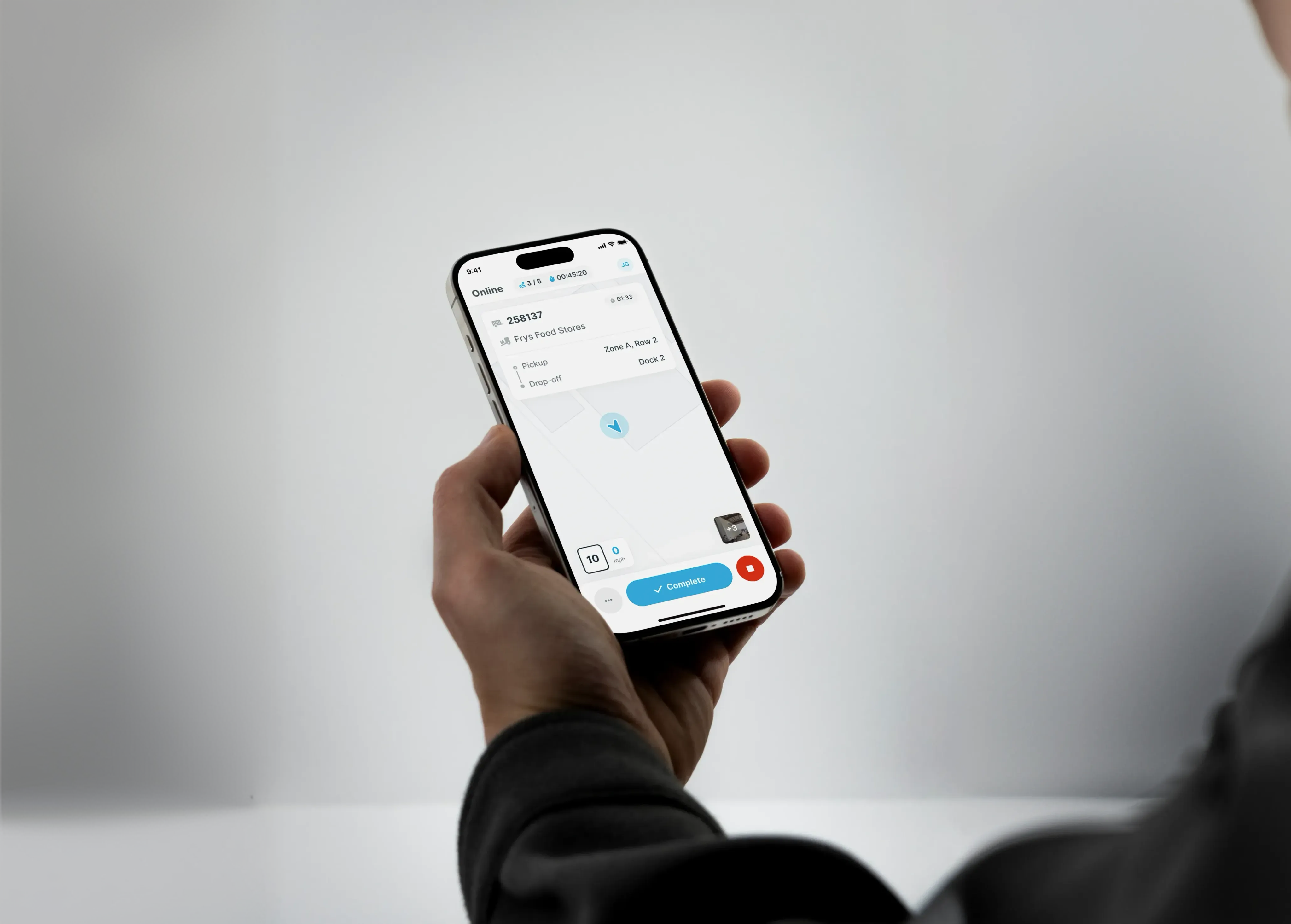
Yard tasks were previously coordinated through radio calls, paper notes, and memory. Dispatchers had to decide what needed to move, find an available driver, communicate the instructions, and keep track of whether the task was completed.
The challenge was that assignment was not simply choosing a driver. I had to consider availability, existing task load, priority, and whether dispatch wanted automatic assignment or direct control.
I started by understanding these operational rules before deciding how they should appear in the product.
I designed Yard Tasking so dispatch could create tasks, the system could help determine who should receive it, and drivers could stay focused on what they needed to do next.
From creating a task to recording its completion, each step stays connected to the same task.
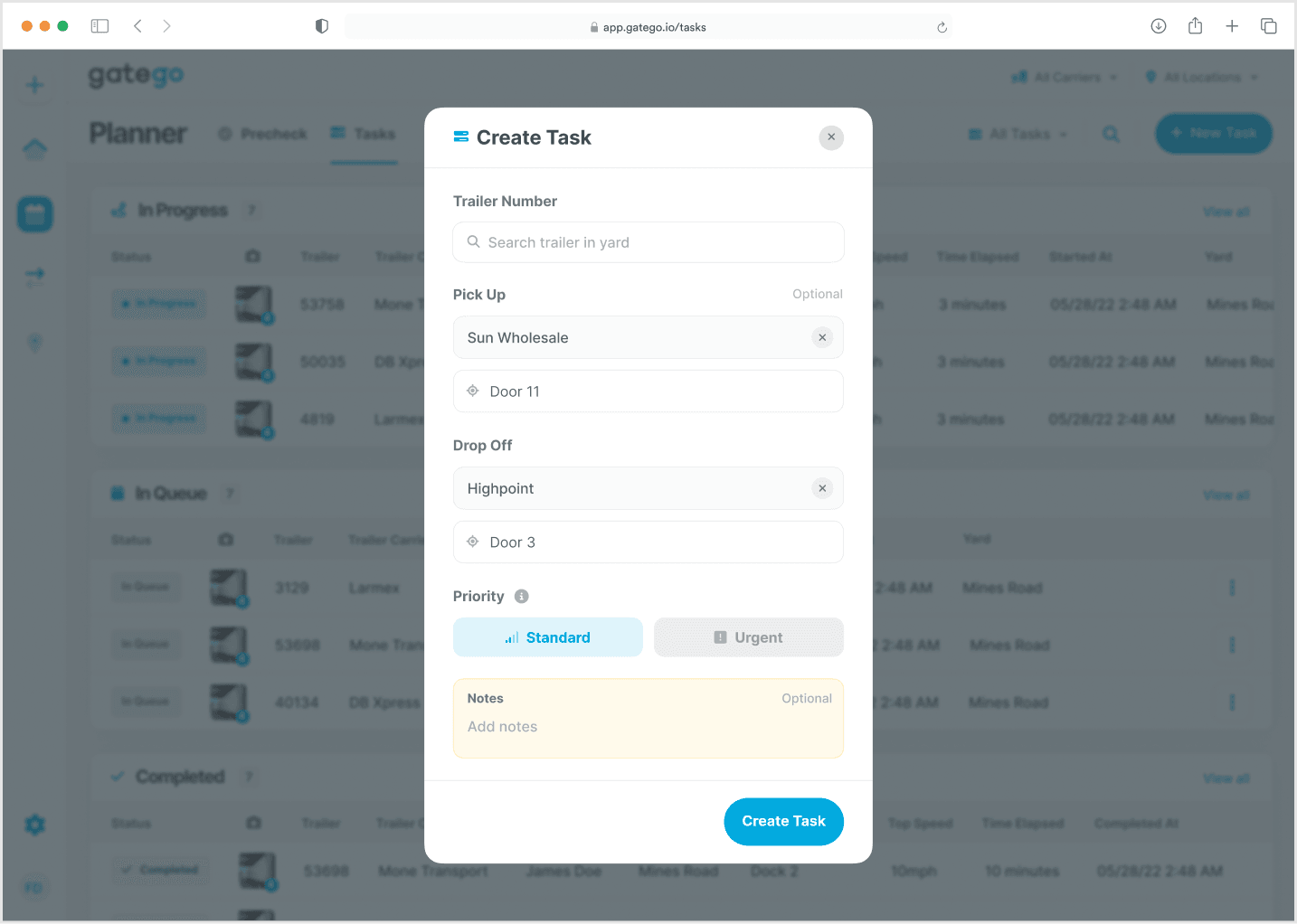
The workflow starts with dispatch defining what needs to move. I brought the trailer, pickup location, destination, priority, and instructions together in the task creation experience.
This gives the assignment a clear starting point and keeps the details with the task as it reaches the driver.
I did not want dispatchers to manually coordinate every task, but full automation could remove control when a specific task needed to go to a specific driver. I designed two assignment methods so dispatch could choose the level of control they needed.
System finds an eligible driver.
Routine assignmentDispatcher chooses an available driver.
Direct controlAutomatic assignment considers whether a driver is online, whether they have capacity, and the priority of the task. I kept those checks behind the experience so dispatch could focus on the task rather than manage the rules.
Drivers who go offline, including during a break, leave assignment until they return online.
Offline
0 of 5 tasks
UnavailableOnline
5 of 5 tasks
At capacityOnline
3 of 5 tasks
AvailableASSIGNED TO DRIVER C
Urgent tasks move ahead of standard queued tasks without interrupting work in progress.
The task waits in the queue until a driver becomes available.
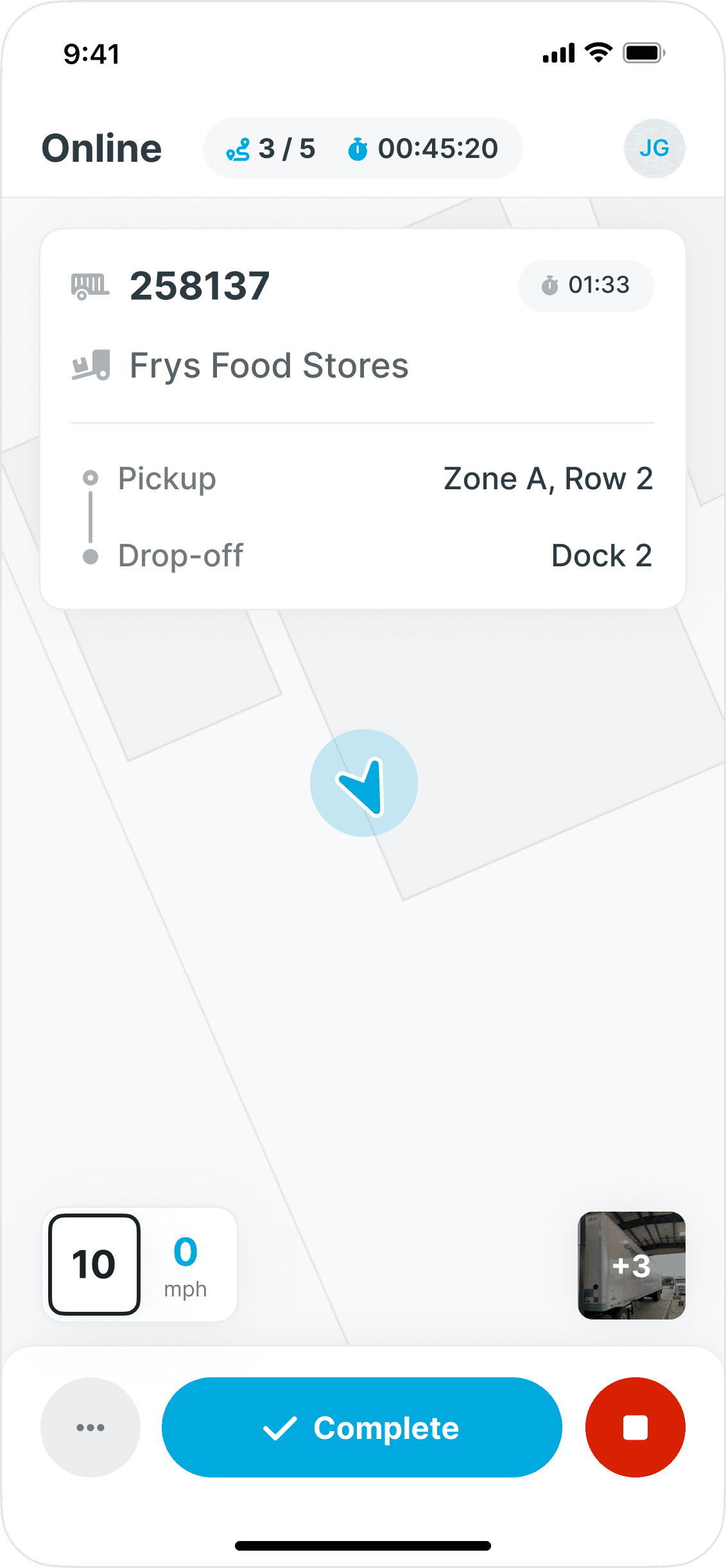
Once the task reaches the driver, the assignment complexity disappears. I designed the mobile experience around the task in progress so the driver can focus on the movement in front of them.
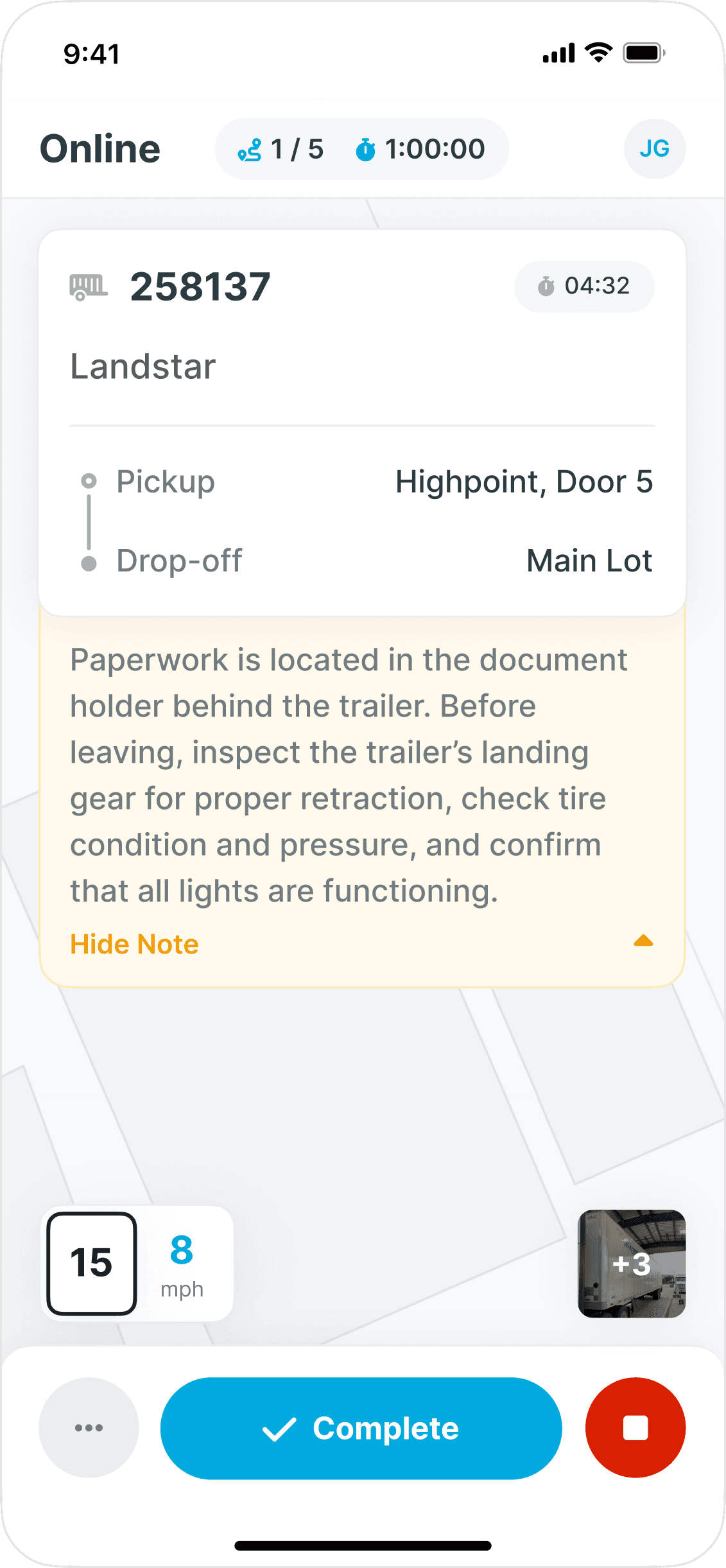
The details needed to act stay together, with instructions available when more context is needed.
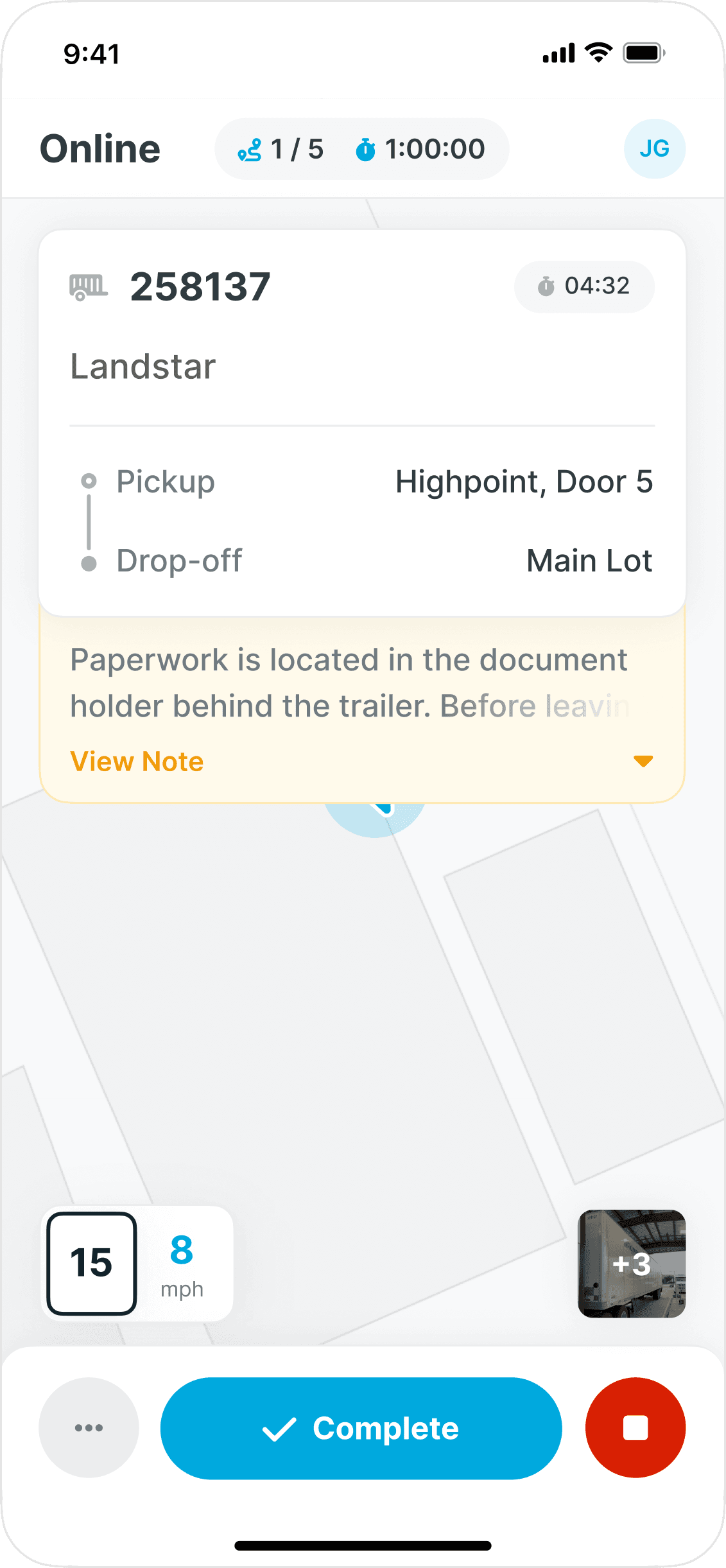
I kept dispatcher instructions inside the active task so drivers would not have to remember details from a radio call. The collapsed state keeps the movement in focus, while the expanded state reveals the context when it is needed.
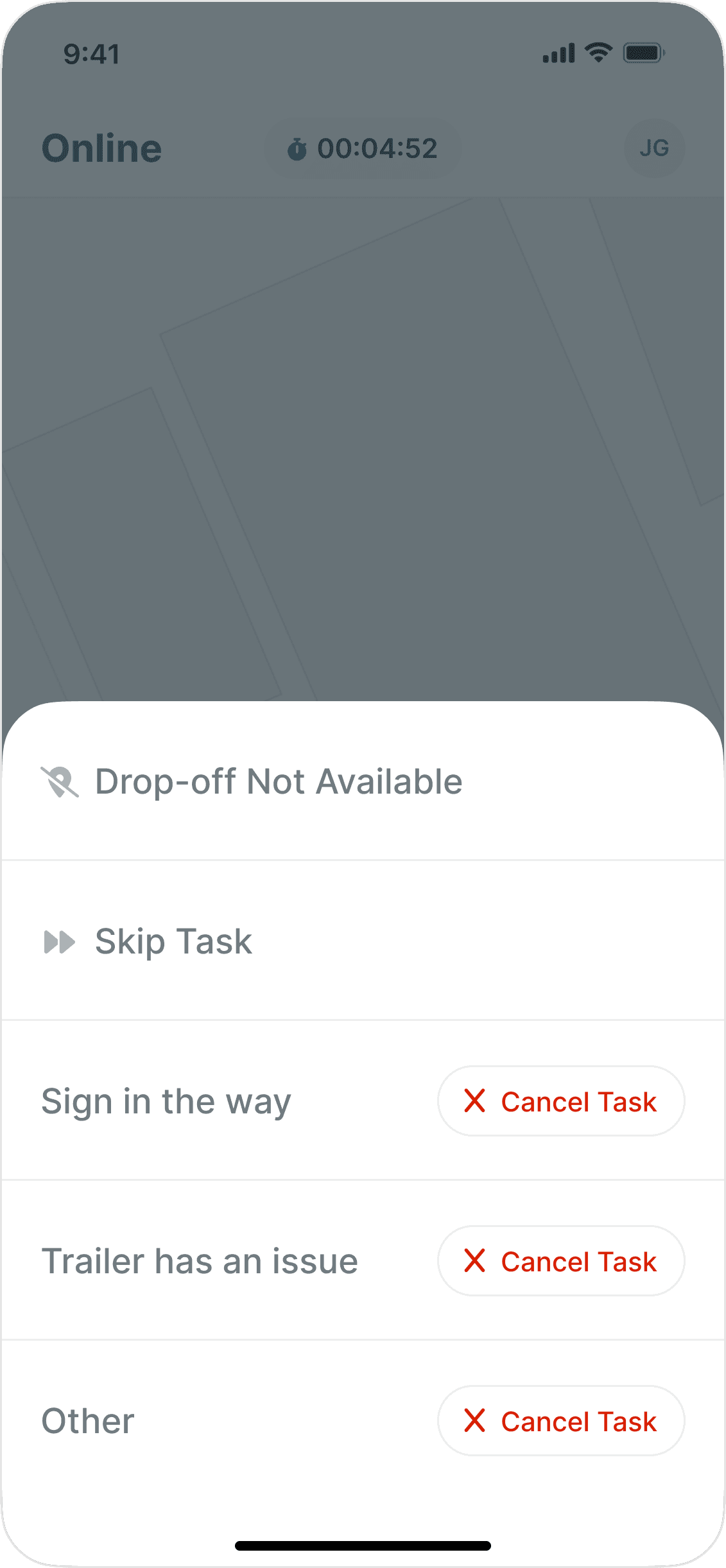
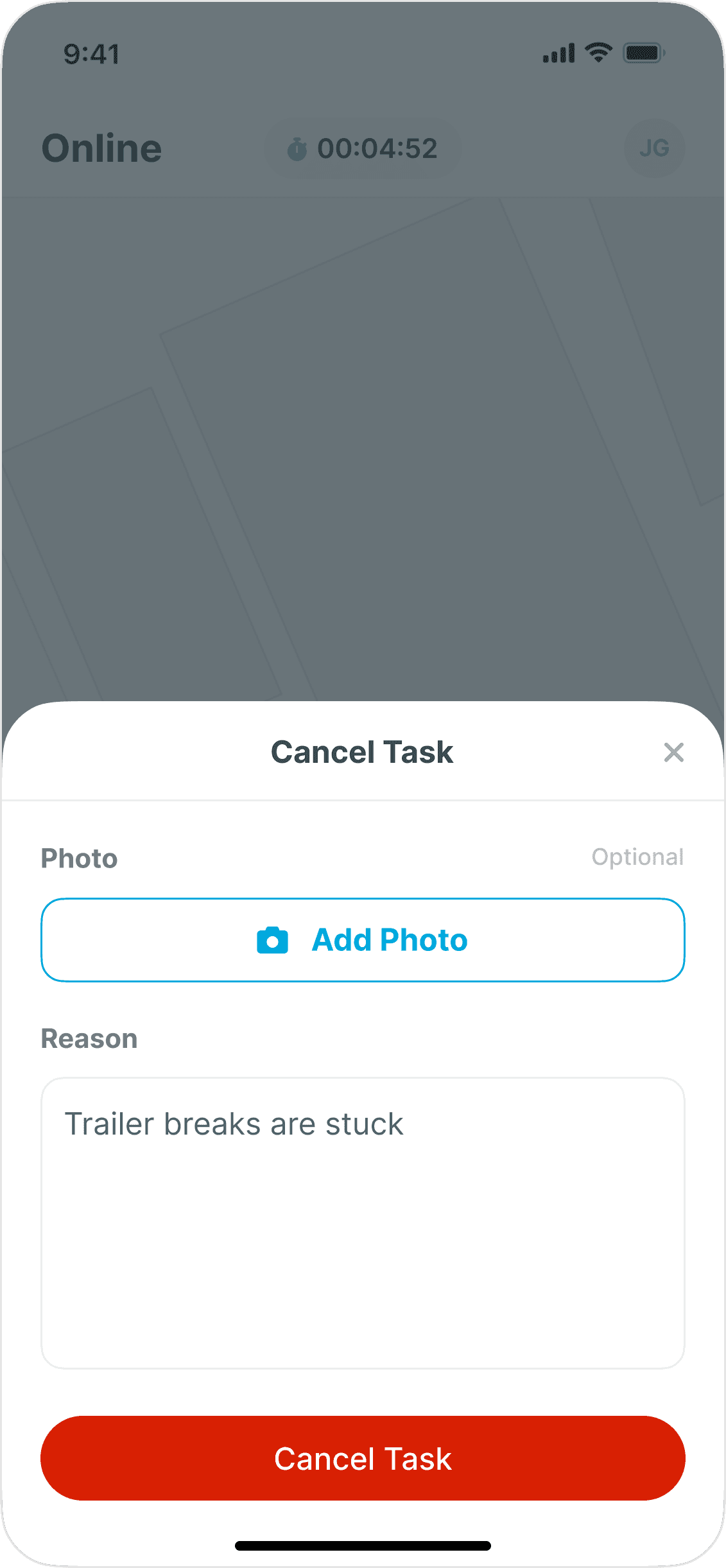
A blocked location or an issue with a trailer can stop a task from progressing. I kept skip and cancel actions within the task experience so drivers can explain why the task cannot be completed and provide supporting information.
Dispatch gets the context behind the interruption without the driver having to leave the task.
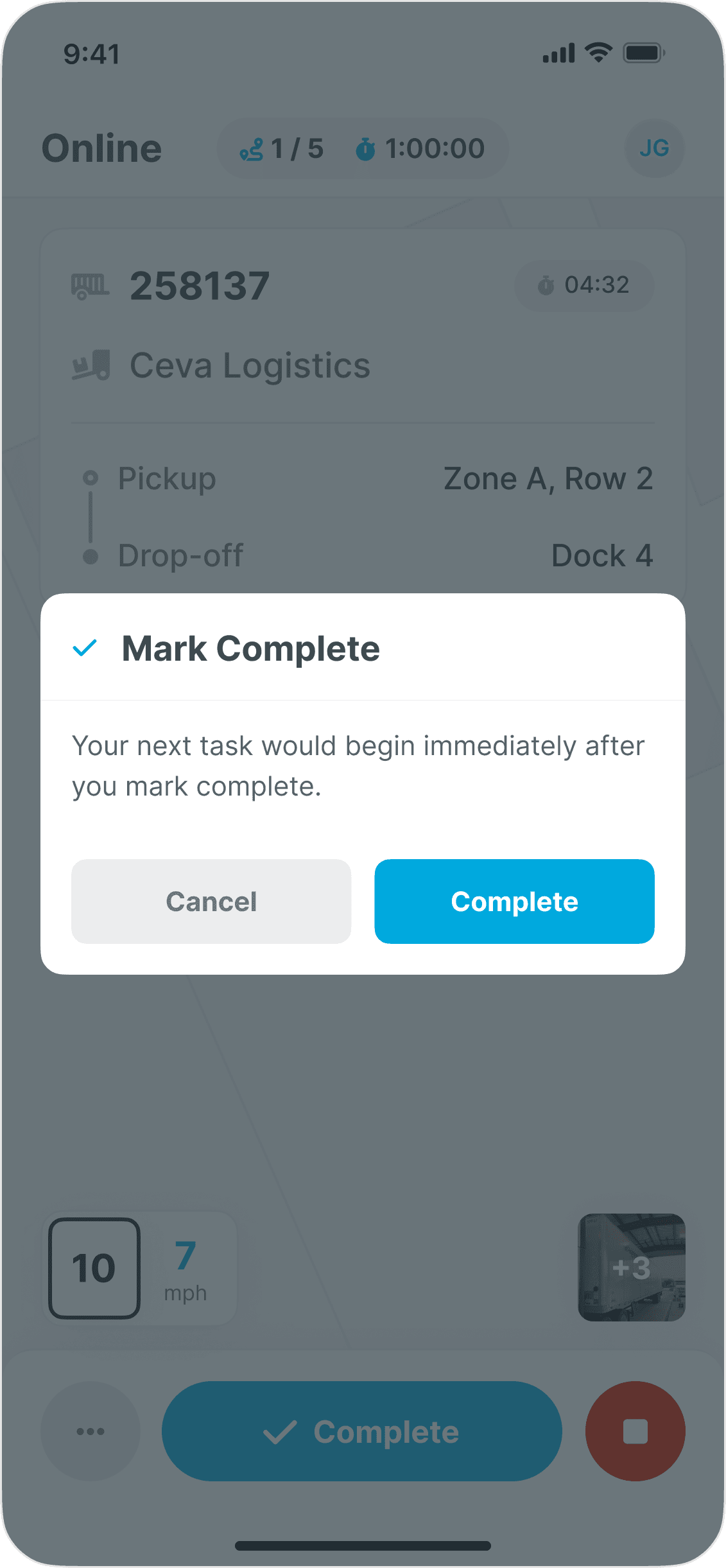
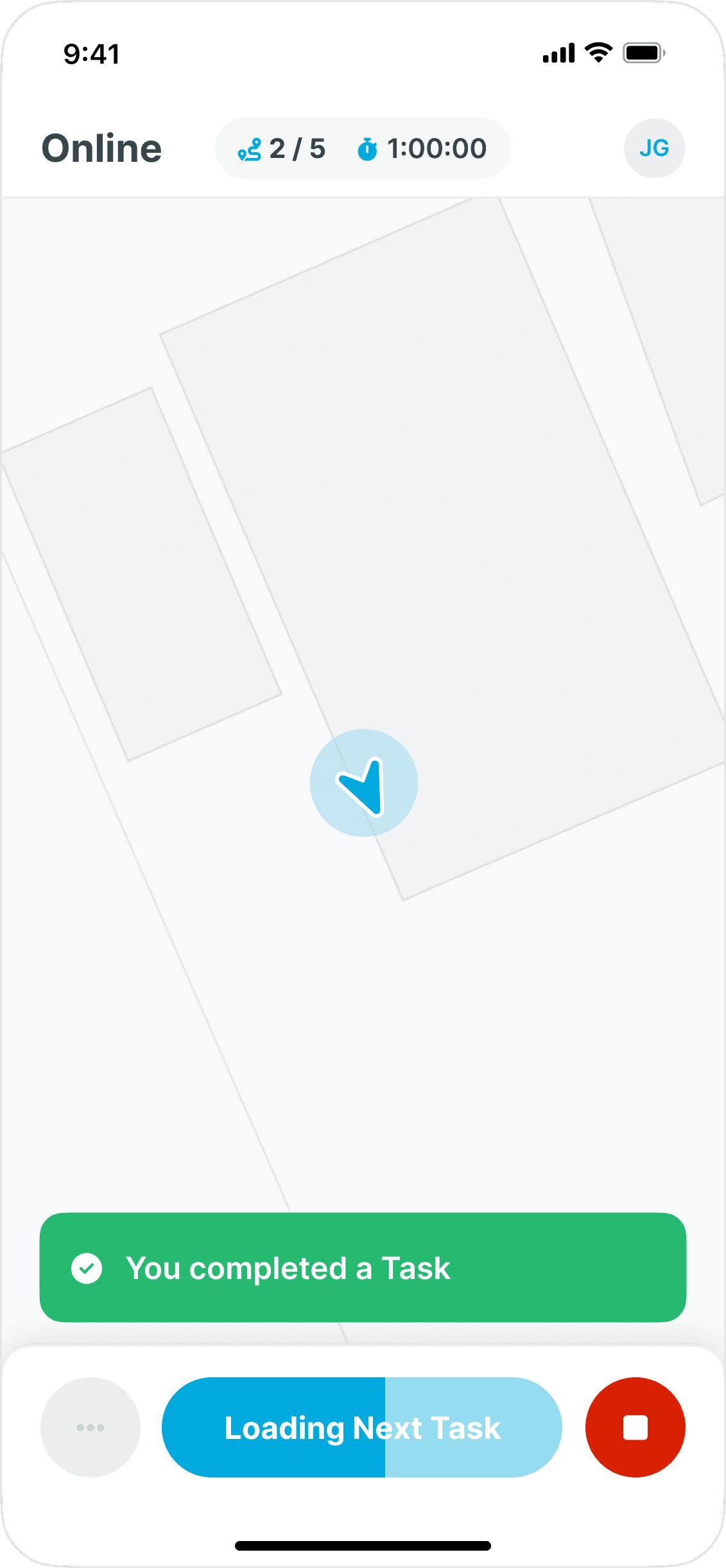
Once a driver confirms the task is done, the task is recorded as completed and the next assigned task becomes available. I designed this transition to keep drivers moving without returning to a task list or waiting for another instruction from dispatch.
The workflow returns to the same dispatcher experience where the task began. Queued, in progress, and completed tasks make it clear what is waiting, what is moving, and what is finished.
Dispatch can see what is happening across the yard without relying on radio updates or manually tracking each driver.
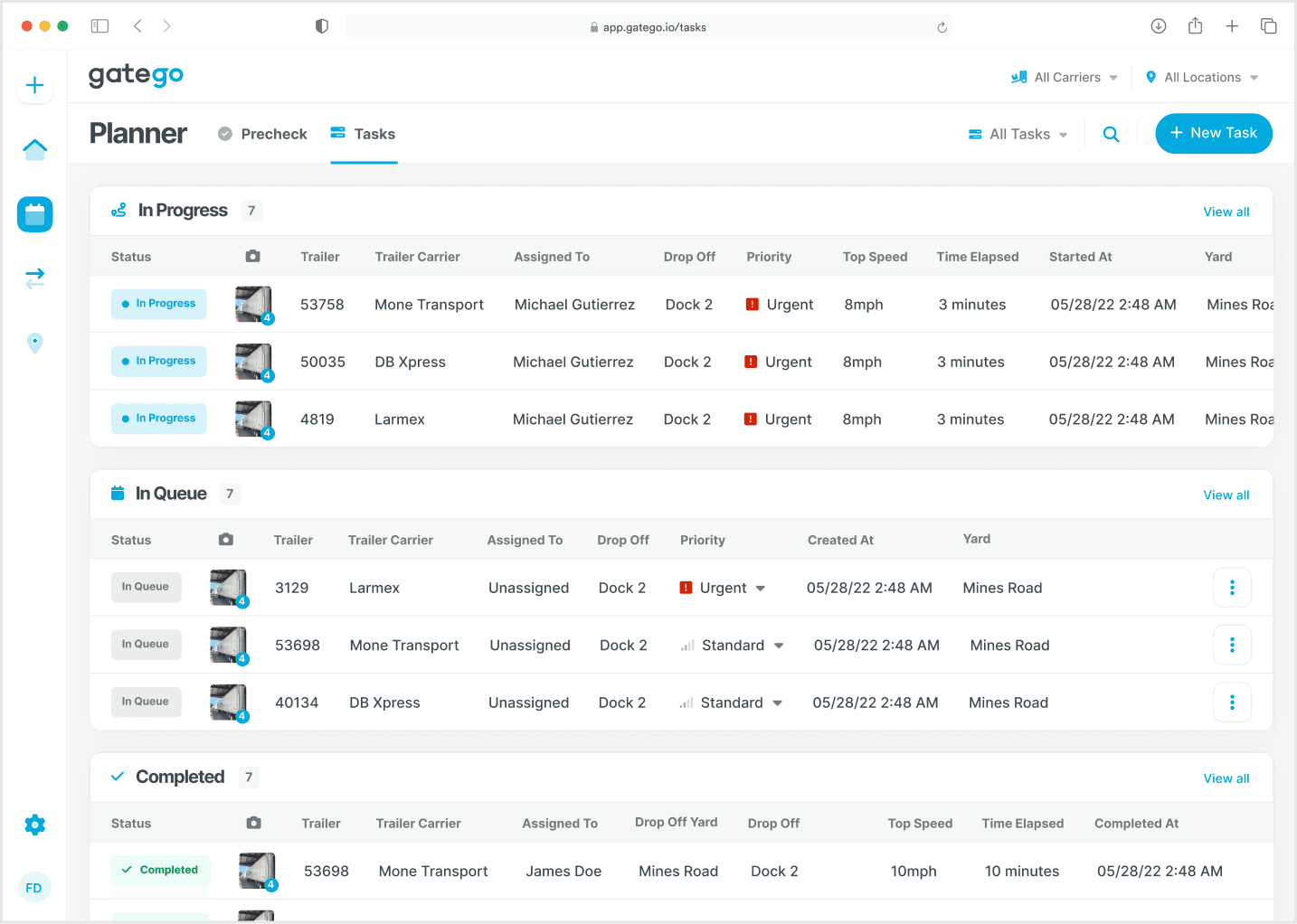
Yard Tasking became part of how drivers and dispatchers coordinate tasks each day. Tasks that previously depended on radio conversations and paper notes could now be created, completed, and tracked through the same system.
Yard drivers adopted the mobile experience for daily task execution.
Dispatchers and drivers now coordinate yard tasks through the same system, from assignment through completion.